
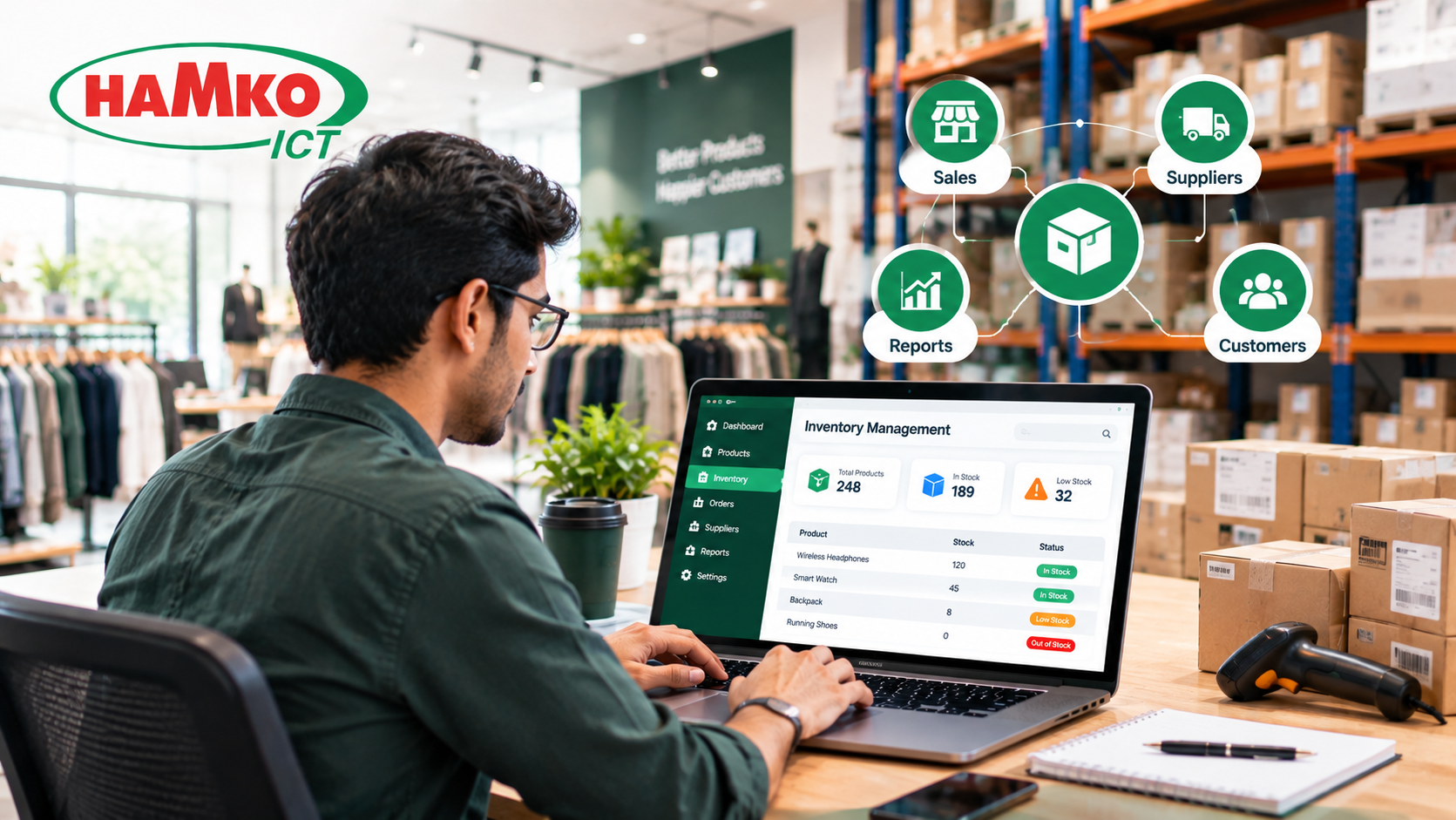
Inventory is one of the most important parts of any retail business. A shop can have excellent products, good customer service, and strong marketing, but if the business does not know what it has in stock, what is selling, and what needs to be reordered, daily operations quickly become difficult.
This becomes even more complicated as a retail business grows. A small shop may be able to manage a few hundred products with a notebook or spreadsheet. But when the business has thousands of products, multiple suppliers, several employees, online orders, or multiple branches, manually tracking every stock movement becomes increasingly difficult.
This is where inventory management software becomes useful.
Modern inventory systems connect purchasing, sales, stock levels, warehouses, suppliers, and reporting in one system. Instead of asking an employee to manually check whether an item is available, a retailer can see its stock position from a centralized dashboard.
For retailers, the real value is not simply "knowing how many products are available." It is being able to make better operational decisions based on accurate and timely inventory data.
What Is Inventory Management Software?
Inventory management software is a digital system used to track products as they move through a business.
A typical retail inventory workflow may look like this:
Supplier → Purchase → Warehouse → Store → POS Sale → Stock Update → Reorder
When these activities are recorded separately, the business can quickly lose visibility. A purchase may be recorded in one spreadsheet, sales in another system, and warehouse stock in a notebook.
Inventory software brings these activities together.
For example, if a retailer receives 100 units of a product, the system can increase available stock. When 15 units are sold through the POS, the inventory quantity can automatically decrease. If the remaining quantity reaches a predefined reorder level, the system can notify the purchasing team.
This creates a continuous flow of information instead of disconnected records.
1. Real-Time Stock Visibility
One of the biggest advantages of inventory management software is knowing what is actually available.
Imagine a clothing retailer with 2,000 products across shirts, trousers, jackets, shoes, and accessories. A customer asks whether a particular shirt is available in medium size.
With manual inventory management, an employee may need to physically check the shelf, ask the warehouse team, or look through a spreadsheet.
With an integrated inventory system, the employee can search for the product and immediately see information such as:
-
Current quantity
-
Product variant
-
Store location
-
Warehouse quantity
-
Reserved quantity
-
Recent sales
-
Reorder status
This becomes particularly important when a retailer operates multiple branches.
Instead of asking each branch separately, management can have a centralized view of inventory.
Modern retail inventory systems are increasingly designed around this kind of multichannel visibility. Shopify, for example, describes retail inventory software as a way to track products across physical stores, ecommerce sites, marketplaces, social channels, and pickup workflows.
2. Reduce Stockouts and Lost Sales
A stockout happens when a customer wants to purchase a product but the business does not have it available.
For a fast-moving retail product, this can mean a missed sale.
The problem is that retailers do not always notice an approaching stockout early enough. A product might have sold consistently for several days while nobody noticed that its remaining quantity was becoming dangerously low.
Inventory software can monitor stock levels and generate low-stock alerts.
For example:
Product: Wireless Earbuds
Current Stock: 8
Reorder Level: 10
Status: Reorder Required
Instead of discovering the problem when the last product is sold, the purchasing team can start the replenishment process earlier.
Odoo's inventory system, for example, supports replenishment alerts, minimum and maximum stock rules, forecasts, and purchase-order workflows.
The important point is that the software does not simply count inventory. It can help turn inventory data into an operational action.
3. Avoid Overstocking and Dead Stock
Retailers have another problem on the opposite side: too much inventory.
Suppose a fashion store purchases 500 units of a particular design because the owner expects strong demand. If the product sells slowly, a significant amount of money remains tied up in unsold stock.
That stock still occupies warehouse and shelf space.
Eventually, the retailer may need to discount the products just to move them.
Inventory software can help identify slow-moving products by analyzing sales and stock movement.
Management can ask questions such as:
-
Which products are selling fastest?
-
Which products have not sold recently?
-
Which products have remained in stock for a long time?
-
Which categories generate the most sales?
-
Which products should be reordered?
-
Which products should be discounted?
This changes inventory management from simply counting products to understanding product movement.
4. Connect POS Sales With Inventory
A strong retail inventory system should not operate separately from the point-of-sale system.
The ideal workflow is simple:
Customer buys product → POS records sale → inventory decreases → sales report updates
Without integration, employees may have to enter the same transaction into multiple systems.
That creates unnecessary work and increases the possibility of errors.
For example, if a shop sells 20 units during the day but the inventory spreadsheet is updated only at night, the business does not have an accurate real-time picture during the day.
An integrated POS and inventory system can update stock as transactions happen.
HAMKO ICT's POS & Inventory Management System follows this connected model, with real-time stock tracking and POS transactions synchronized with inventory information.
5. Make Barcode Scanning Faster and More Accurate
Barcode technology is one of the most important developments in modern retail operations.
The story goes back much further than many people realize.
The Universal Product Code, or UPC, was officially adopted in 1973 after the grocery industry searched for a standardized way to identify products and improve checkout and inventory processes. On June 26, 1974, a pack of Wrigley's Juicy Fruit chewing gum became the first retail product scanned using a UPC at a Marsh supermarket in Troy, Ohio.
That small event became a major milestone in retail technology.
IBM explains that barcode-based systems helped retailers reduce manual data entry, speed up checkout, and create records that could be used to monitor inventory and purchasing behavior.
Today, barcode scanning can be used for much more than checkout.
A retailer can use it when:
-
Receiving products from suppliers
-
Moving products between locations
-
Selling products
-
Conducting stock counts
-
Checking product information
-
Adjusting inventory
-
Processing returns
Odoo's current inventory documentation similarly describes barcode scanning as a way to reduce manual entry and speed up product selection, location assignment, and inventory adjustments.
The result is a more connected physical-to-digital inventory process.
6. Manage Multiple Stores and Warehouses
Inventory becomes significantly more complicated when a business has multiple locations.
Imagine a retailer with:
Central Warehouse → Dhaka Branch → Khulna Branch → Chattogram Branch
The owner needs to know not only the total quantity of a product but also where that quantity is located.
Inventory management software can maintain location-specific stock records and support transfers between warehouses or branches.
For example, if Khulna has 5 units of a product while the central warehouse has 80, the system can help management identify the available supply and initiate a transfer.
Odoo documents this type of inter-warehouse replenishment, including rules that can trigger transfers when a retail location falls below a defined stock level.
For growing retailers, centralized inventory visibility can therefore become an important part of branch management.
7. Improve Purchasing and Supplier Management
Inventory management is closely connected to purchasing.
A retailer does not simply need to know what is missing. The business also needs to know:
What should we purchase, from whom, how much, and when?
Inventory software can maintain supplier information alongside products and purchasing records.
A retailer can use historical sales and stock information to understand purchasing requirements and establish reorder levels.
For example:
Average weekly sales: 40 units
Supplier lead time: 7 days
Reorder level: 50 units
When stock approaches the defined threshold, the purchasing team receives an alert and can begin the procurement process.
This reduces the need to rely entirely on memory or manual stock checking.
For businesses with predictable demand, automated replenishment can make purchasing more systematic.
8. Track Damaged, Missing, Returned, or Adjusted Stock
Not every inventory change comes from a sale.
Products can be:
-
Damaged
-
Lost
-
Returned
-
Expired
-
Used internally
-
Transferred between locations
-
Found during stock counting
If these changes are not recorded properly, the software quantity and physical quantity will eventually become different.
Inventory adjustment features allow staff to document these differences rather than silently changing numbers.
Zoho's inventory documentation, for example, describes adjustments for situations including physical stock counts, damaged or missing goods, theft, data-entry errors, and write-offs.
This creates a better audit trail and helps managers understand why inventory changed.
9. Give Retail Owners Better Business Reports
A good inventory system should not only tell you what you have. It should help you understand what is happening.
Useful reports can include:
-
Fast-moving products
-
Slow-moving products
-
Stock valuation
-
Purchase history
-
Sales by product
-
Sales by branch
-
Stock movement
-
Low-stock products
-
Inventory adjustments
-
Supplier performance
-
Profit and margin information
These reports can help management make decisions based on actual business data rather than assumptions.
For example, instead of saying, "I think this product sells well," a retailer can examine its sales history and compare it with other products.
That distinction becomes increasingly important as the business grows.
10. Connect Inventory With the Rest of the Business
Inventory rarely exists as an isolated business function.
A growing retailer may need inventory to communicate with:
POS + Purchasing + Accounting + Ecommerce + CRM + ERP + Reporting
This is where software architecture becomes important.
A customer order should potentially affect sales records, inventory, payment information, and reporting without requiring employees to enter the same information repeatedly.
HAMKO ICT's inventory solution includes integration with ERP systems and supports areas such as POS, supplier management, reporting, barcode scanning, automated replenishment, and multi-warehouse operations.
For businesses with specialized workflows, a custom inventory management system can also be designed around the company's existing processes instead of forcing the business to change everything around a generic tool.
Inventory Software Is More Than a Stock Counter
The biggest misconception about inventory management software is that its primary purpose is simply to show how many products are left.
In reality, modern inventory management is about connecting products, people, transactions, locations, suppliers, and decisions.
Consider a simple retail transaction:
Supplier delivers 100 units → warehouse receives them → barcode is scanned → inventory increases → 15 units are sold → POS updates stock → stock reaches reorder level → purchasing receives an alert → new order is created → management sees the entire process in a report.
That is much more powerful than maintaining a spreadsheet with a single "Quantity" column.
Who Can Benefit From Retail Inventory Management Software?
Inventory software can be useful for businesses with different types of products and operating models.
Fashion and Clothing Stores
Track sizes, colors, product variants, branches, and seasonal stock.
Grocery and Super Shops
Manage large numbers of SKUs, barcode-based sales, fast-moving products, and replenishment.
Electronics Stores
Track product models, serial numbers, warranties, accessories, and stock across locations.
Pharmacies
Manage product batches, expiry dates, stock movement, and purchasing requirements.
Ecommerce Businesses
Synchronize online orders with available inventory and reduce the risk of selling products that are no longer available.
Multi-Branch Retailers
Maintain centralized visibility while allowing each branch to manage its own stock and sales.
What Should a Retail Business Look For?
Not every inventory system needs every possible feature.
The right system depends on the retailer's size, product complexity, number of locations, sales channels, and existing software.
At minimum, a growing retailer should consider:
-
Real-time inventory tracking — so stock information stays current.
-
POS integration — so sales automatically affect inventory.
-
Barcode support — to reduce manual entry.
-
Low-stock alerts — to support timely replenishment.
-
Purchase and supplier management — to connect stock requirements with procurement.
-
Multi-location support — when the business operates multiple branches or warehouses.
-
Reporting and analytics — to understand product movement and business performance.
-
User permissions and audit trails — to control who can change important records.
-
Integration capability — so inventory can connect with accounting, ecommerce, ERP, or other business systems.
The goal should not be to buy the software with the longest feature list. The goal should be to build a system that matches the actual workflow of the business.
Final Thoughts
Retail inventory management has evolved significantly—from handwritten stock records to barcode scanners, POS systems, cloud platforms, automated replenishment, and integrated business software.
The history of the UPC shows how a simple technology created a foundation for more connected retail operations. Today, inventory software takes that idea much further by connecting sales, purchasing, warehouses, suppliers, and business reporting in one environment.
For a small retailer, the first benefit may be simply knowing the correct stock quantity. For a growing business, the value can extend to automated purchasing, multi-branch visibility, sales analysis, inventory control, and integration with other business systems.
If your retail business is still managing stock through notebooks, disconnected spreadsheets, or separate systems, it may be time to consider a more connected approach.
HAMKO ICT provides POS and inventory management software development for retail and other inventory-driven businesses, with capabilities including real-time stock tracking, barcode integration, automated replenishment, multi-warehouse management, supplier management, reporting, and ERP integration.
The right inventory system should not simply tell you what happened yesterday. It should help your team understand what is happening now—and what needs to happen next.
Tell us your requirement
Express Service
Get Qualified Services from all
over world.
Business Software. Our Craft. Our Passion.

Your privacy is our responsibility
We believe that trust is paramount in a relationship. We do not own or sell your data, and we most certainly do not bank on advertising-based business models. The only way we make money is from the software license fees you pay us.