
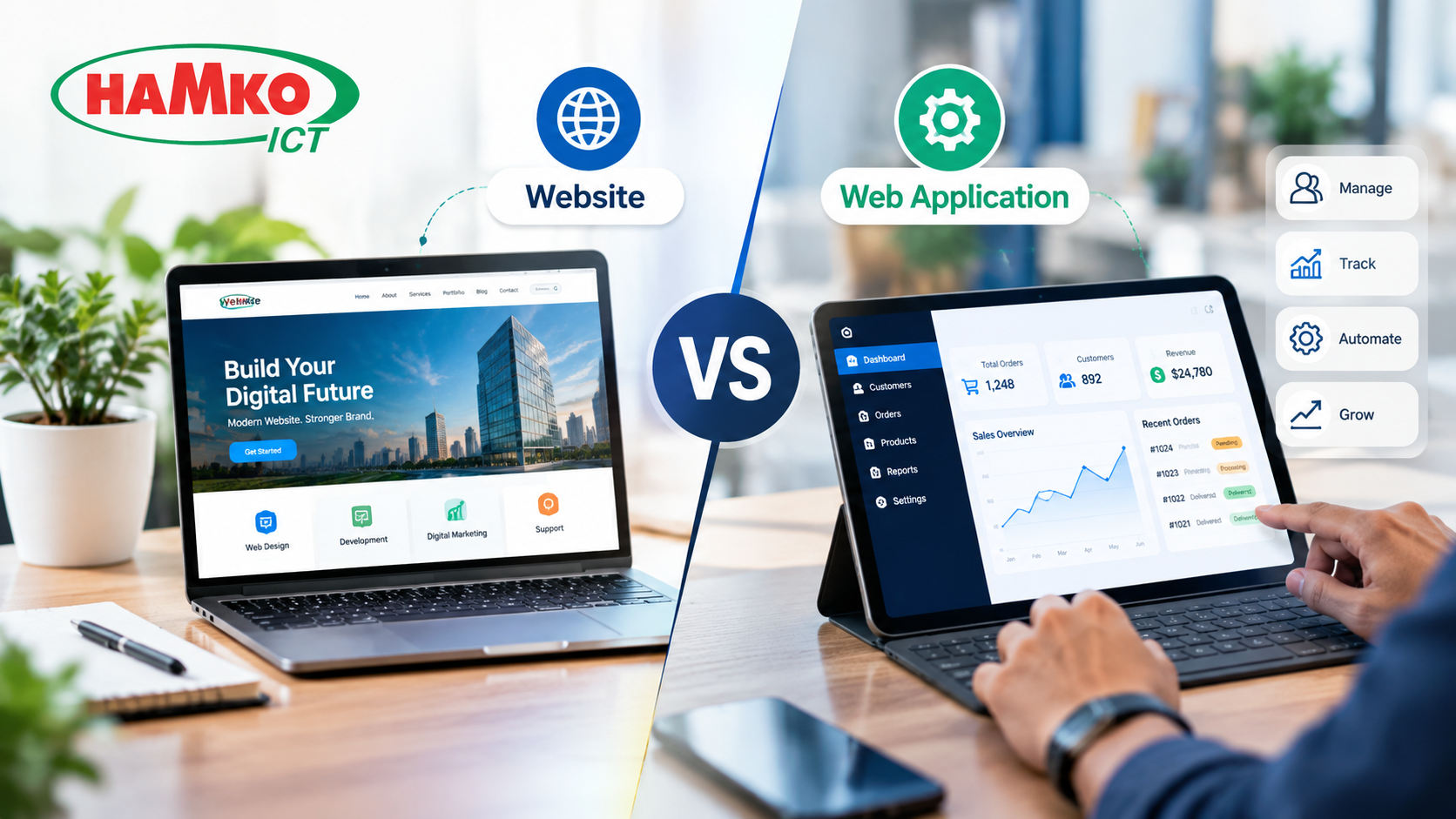
When a business decides to build something online, the first question is often simple: “Do we need a website?”
But as the business grows, the requirements can become more complicated. Customers may need accounts, employees may need dashboards, sales teams may need to manage leads, customers may want to track orders, or the business may want to automate processes that are currently handled through Excel and email.
At that point, a normal website may no longer be enough. The business may actually need a web application.
The confusion happens because both websites and web applications run inside a web browser and can look almost identical. The real difference is not how they look. It is what they are designed to do.
A simple way to remember it is:
A website helps people understand your business. A web application helps people use your business system.
Understanding this difference before starting development can help a business avoid spending money on the wrong solution.
What Is a Website?
A website is primarily designed to present information, build credibility and generate actions from visitors.
A typical business website may include a homepage, service pages, product pages, an About Us page, blog, portfolio, testimonials, FAQs and contact forms.
For example, imagine a web development company. Its website might explain its services, show previous projects, publish SEO articles and provide a contact form for potential clients.
The visitor usually comes to the website to learn something and make a decision.
They may want to know:
-
What does this company offer?
-
How much does the service cost?
-
Can I trust the company?
-
What projects have they completed?
-
How can I contact them?
The primary purpose is communication and conversion.
Modern business websites are also important for search visibility. A company can publish useful content, optimize pages for search engines and attract potential customers through organic traffic.
In other words, a website is often the digital storefront and marketing channel of a business.
What Is a Web Application?
A web application is different because the user is not simply reading information. The user is performing tasks, working with data or interacting with a business process.
Think about applications such as:
-
Customer portals
-
CRM systems
-
ERP software
-
Booking platforms
-
Employee management systems
-
Inventory systems
-
Project management tools
-
Online banking
-
SaaS platforms
-
Learning management systems
A user might log in, enter information, upload documents, create an order, check a report, update a record or complete a workflow.
For example, a school website can tell parents about admission, courses, teachers and facilities. But if parents can log in to check attendance, download results, pay fees and receive notifications, the system has moved into web-application territory.
Recent web-development research similarly describes websites as primarily information-oriented while web applications handle ongoing user tasks, data, accounts and workflows.
The Simplest Test: Do Visitors Read or Do They Work?
One of the easiest ways to understand the difference is to ask:
“Does the user mainly need to read information, or do they need to perform a task?”
If the answer is mainly read, explore and contact, you are probably looking at a website.
If the answer is log in, enter data, manage information, complete a process or receive personalized results, you are probably looking at a web application.
Consider a restaurant.
A website could display:
Menu → Location → Opening Hours → About → Contact
That is a website.
Now imagine customers can create an account, choose a table based on live availability, make a reservation, receive confirmation and manage their bookings.
That functionality requires application logic, stored data and user-specific interaction. It is much closer to a web application.
The appearance may be almost the same, but the underlying business requirements are very different.
Website vs Web Application: A Practical Comparison
| Area | Website | Web Application |
|---|---|---|
| Main purpose | Inform and generate leads | Perform tasks and manage processes |
| Typical users | General visitors | Customers, employees, partners or members |
| Login | Usually optional | Often required |
| Data storage | Relatively simple | Significant user/business data |
| Interaction | Browsing and forms | Dashboards, workflows and transactions |
| SEO importance | Usually very high | Depends on the application |
| Examples | Corporate site, blog, portfolio | CRM, ERP, portal, SaaS |
| Development complexity | Low to medium | Medium to very high |
| Maintenance | Content, performance, security | Software, database, APIs, security and infrastructure |
This does not mean every website is simple or every web application is extremely complicated. There is a large middle ground, and that is where many businesses become confused.
The Grey Area: When a Business Needs Both
One of the biggest gaps in the website-versus-web-app discussion is the assumption that a company must choose only one.
In reality, many businesses need both.
Imagine an eCommerce business.
The public-facing part of the platform needs product pages, categories, content, search-engine visibility and marketing campaigns. These are website-oriented functions.
But customers also need shopping carts, checkout, accounts, order history and personalized information. Administrators need dashboards for products, orders, customers and inventory.
These are application-oriented functions.
So the same business can have:
Marketing Website + Web Application
The two can work together as one digital ecosystem.
The same model can be used by a service company:
Public Website → Customer Portal → Internal Dashboard → CRM/Business System
This approach can be more practical than trying to force every requirement into a traditional website.
When Should Your Business Choose a Website?
A website is usually appropriate when your primary objective is to build an online presence, attract visitors and generate leads or sales.
For example, a business may need a website if it wants to:
-
Present its services
-
Showcase products
-
Publish blogs and educational content
-
Generate enquiries
-
Display company information
-
Build brand credibility
-
Promote locations or branches
-
Attract customers through Google
-
Provide contact and quotation forms
A professional website can often achieve these objectives without the complexity of a fully custom application.
For a small business, professional service company, agency, manufacturer, restaurant or corporate organization, starting with a well-planned website may be enough.
The important thing is not to build an application simply because the technology sounds more advanced.
When Does a Business Need a Web Application?
A web application becomes more appropriate when the business has processes, data or user interactions that need software to manage them.
For example, consider a company currently managing customer orders through spreadsheets.
A sales employee enters an order into Excel. Another employee sends the information to accounts. Someone else updates inventory. The customer calls to ask about the order status.
A custom web application could bring these processes into one system.
The employee creates the order.
The system stores it.
Inventory is updated.
The relevant department receives the task.
The customer can potentially see the order status through a portal.
Management can view reports.
That is not simply a website. It is business software delivered through the web.
Recent decision guides from multiple development companies use similar criteria: accounts, personalized data, dashboards, workflow automation, data processing and ongoing user interaction are strong signals that an application may be required.
A Short History: How the Web Became a Software Platform
The distinction between websites and web applications became increasingly important as browsers became capable of delivering richer software experiences.
A good historical example is Gmail.
Google launched Gmail on April 1, 2004 as a browser-based email service. It offered features that went far beyond simply displaying a page of information, including search, large storage and an interactive email experience. Google later described Gmail as having helped pioneer a different approach to browser-based email.
Google's own Gmail engineering blog later discussed the challenges of building large web applications and how the product evolved as browser capabilities improved.
This history illustrates an important shift.
The web was initially associated heavily with publishing and consuming information.
Over time, browsers became platforms through which people could use software.
Today, you can manage finances, collaborate with teams, communicate, book services, manage inventory and run entire businesses through browser-based applications.
What About Cost?
A website and a web application can have very different development costs, but there is no universal price simply because something is called a “website” or “web app.”
A basic corporate website may require relatively straightforward pages and a content management system.
A custom web application may require:
-
User authentication
-
Multiple user roles
-
Database architecture
-
APIs
-
Business logic
-
Dashboards
-
Payment systems
-
Third-party integrations
-
Notifications
-
Security controls
-
Data backup
-
Reporting
-
Ongoing maintenance
As functionality increases, development and long-term maintenance requirements generally increase as well.
That is why businesses should not compare quotations simply by asking, “How much does a website cost?”
A better question is:
“What business problem are we paying the software to solve?”
That question changes the entire development conversation.
Don't Build More Than You Actually Need
There are two expensive mistakes businesses can make.
The first is building a complex custom application when a professional website plus existing tools or integrations could solve the problem.
The second is continuing to add plugins, forms and manual workarounds to a website that has clearly become a business application.
For example, if employees are maintaining customer records in multiple spreadsheets, manually preparing reports and exchanging information through email every day, adding another website plugin may not solve the underlying problem.
The business may need a proper application or integrated business system.
On the other hand, if the company simply needs a better online presence and lead generation, a custom application may add unnecessary complexity.
The right solution is the one that matches the actual workflow.
What Should You Choose for Your Business?
Before contacting a development company, answer these questions:
1. What is the primary goal?
Do you mainly want to inform customers and generate leads, or do you want users to perform tasks?
2. Will users need accounts?
If different users need personalized dashboards or access to their own information, an application may be appropriate.
3. Will the system store and process business data?
Customer records, orders, inventory, employee data and transactions often require application-level functionality.
4. Do you need automation?
If the system needs to trigger actions based on user input or business rules, you may be moving beyond a traditional website.
5. Will the system connect with other software?
CRM, ERP, payment gateways, accounting software, shipping platforms and APIs can significantly change the technical requirements.
6. Does the business need both marketing and operational functionality?
If yes, a website and web application can be designed to work together.
Final Thoughts
The question is not really “Website or web application—which one is better?”
The better question is:
“What does my business need the digital system to accomplish?”
If your primary goal is to present information, build trust, attract Google traffic and generate enquiries, a professional website may be the right foundation.
If customers, employees or partners need to log in, manage data, complete workflows, access dashboards or interact with business processes, a web application may be more appropriate.
And for many growing businesses, the answer is both: a strong public-facing website connected to a secure web application behind it.
Before development begins, define the business process first and choose the technology second.
For businesses looking for custom website development or web application development in Bangladesh, HAMKO ICT can help translate business requirements into an appropriate digital solution—from corporate websites and eCommerce platforms to custom dashboards, portals, CRM, ERP and business automation systems.
