
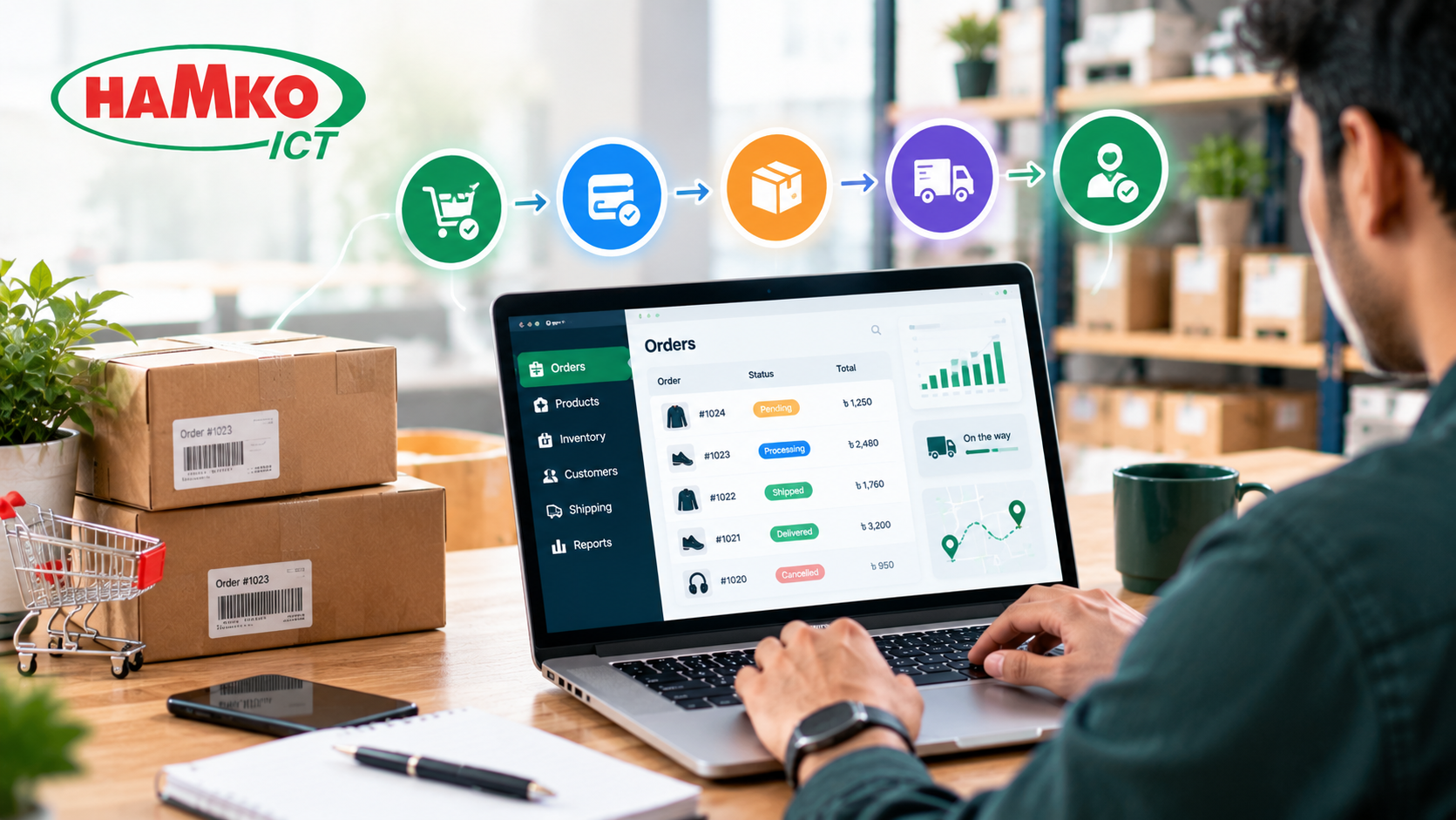
Running an ecommerce business involves much more than receiving orders through a website. Every purchase creates a series of tasks: checking payment status, confirming product availability, preparing the package, booking a courier, updating the customer, and recording the transaction. When these activities are managed manually, even a growing business can struggle with delays, incorrect orders, and unnecessary operational costs.
Order management automation helps ecommerce businesses connect these tasks through software so information moves automatically from one stage to the next. Instead of copying order details between spreadsheets, courier dashboards, inventory systems, and accounting software, a business can build a connected workflow that handles routine operations with minimal manual intervention.
For businesses using WooCommerce, Shopify, or a custom ecommerce website, automation can improve order accuracy, speed up fulfillment, and make it easier to manage increasing sales without increasing administrative work at the same rate.
What Is Ecommerce Order Management Automation?
Ecommerce order management automation uses software, integrations, and predefined rules to manage orders from checkout through fulfillment, delivery, and returns.
For example, when a customer places an order, the system can automatically record the purchase, check stock availability, update inventory, generate an order confirmation, and send the order to the fulfillment team. Once the courier collects the package, tracking information can be synchronized and shared with the customer.
A typical automated workflow looks like this:
Customer places order → Order validation → Inventory check → Payment verification → Packing → Courier booking → Tracking updates → Delivery → Accounting reconciliation
An order management system (OMS) coordinates the order lifecycle, while integrations connect the ecommerce website with other business applications. These can include inventory management software, payment gateways, courier services, customer relationship management (CRM) tools, and accounting systems.
Shopify's order automation guide describes how these connected systems can reduce manual data entry and coordinate inventory, fulfillment, shipping, and customer communication. Source: Shopify
1. Automatically Capture and Organize Orders
The first step is to ensure every order reaches a central system without someone manually copying its details.
An ecommerce business may receive orders through its website, social media campaigns, marketplaces, or other sales channels. If employees check each platform separately, an order can be overlooked or entered incorrectly.
Automation can collect order information from connected channels and organize it in one dashboard.
For each order, the system can record the order ID, customer details, products, quantities, payment method, delivery address, order value, and current status. Staff can then see which orders are new, awaiting confirmation, ready for packing, shipped, delivered, or cancelled.
Example: A store receives 80 orders through WooCommerce and 25 through another connected sales channel. Instead of maintaining separate order lists, an integrated system consolidates those orders into one operational view.
The exact setup depends on the platforms involved, but the goal is the same: create one reliable order record and reduce duplicate data entry.
2. Verify Payments and Flag Risky Orders
Not every order should move directly to fulfillment. Some require payment verification, address correction, or fraud review.
Automation can check the payment status returned by the payment gateway and update the order accordingly. Paid orders can move to the fulfillment queue, while failed or pending payments remain on hold according to the business's rules.
For cash-on-delivery (COD) orders, the system can record COD as the payment method and trigger a confirmation workflow if the business requires one.
Additional rules can flag orders for manual review when they contain unusual quantities, conflicting customer information, suspicious transaction patterns, or incomplete delivery details.
For example:
-
Payment confirmed: Move the order to processing.
-
Payment failed: Keep the order on hold and notify the customer when appropriate.
-
Address incomplete: Request correction before courier booking.
-
Unusual order: Send it to an authorized employee for review.
Automation should not blindly approve every order. Payment verification and risk rules must be configured correctly, and sensitive decisions should retain appropriate human oversight.
3. Synchronize Inventory Automatically
Inventory errors are a common source of ecommerce problems. A product may appear available on a website even though it has already sold out in the warehouse.
When the ecommerce platform and inventory system are connected, an order can trigger an inventory update. If multiple sales channels share the same stock, the available quantity should be synchronized across those channels.
Consider a store with 20 units of a product. When five units are sold, the system should update the available quantity to reflect the sale and any relevant reservations or stock rules.
Low-stock alerts can notify purchasing staff when products approach their reorder levels.
A good inventory workflow should also handle cancelled orders and returned products carefully. A cancelled order may release reserved stock, but a returned product should not automatically become sellable until its condition has been checked.
This is especially important for fashion, electronics, cosmetics, and other businesses managing many products or variants.
4. Automate Order Picking, Packing, and Shipping
Once an order is approved, employees need to locate the correct products, pack them, and prepare the shipment.
An automated workflow can send the order to a warehouse or fulfillment queue, generate a packing list, and prepare the information required for shipping labels. Where supported, orders can be grouped by warehouse, delivery destination, shipping method, or priority.
For example, an order containing two products can generate a picking list showing the product names, SKUs, quantities, and storage locations. After the team verifies the items and marks the package ready, the connected shipping system can create the shipment.
Courier booking can also be automated through an available API or integration. The system sends the required shipment details, receives the courier reference, and stores it against the order.
Not every courier or local service supports the same integrations. Where a direct connection is unavailable, a controlled export/import workflow may be a practical first step.
5. Connect Courier Tracking and Customer Notifications
Customers want to know whether their orders have been confirmed, dispatched, or delivered. If staff must answer every status question individually, customer support becomes unnecessarily time-consuming.
An automated system can send notifications when meaningful order events occur.
For example:
-
Order placed: Send an order confirmation.
-
Order dispatched: Share the courier and tracking details.
-
Delivery delayed: Notify the customer when reliable status information is available.
-
Order delivered: Send a delivery confirmation.
-
Delivery failed: Alert the support team for follow-up.
Notifications can be delivered through email, SMS, or supported messaging integrations. The business should use the channels customers have consented to receive and avoid sending duplicate messages when multiple systems update the same event.
The objective is not to send more notifications. It is to give customers accurate information at the right time while reducing repetitive questions for the support team.
6. Manage COD, Failed Deliveries, and Returns
For ecommerce businesses that use cash on delivery, the order process does not end when a package leaves the warehouse. The business also needs to track delivery outcomes and reconcile the money collected by the courier.
Automation can record COD amounts, compare courier status updates with internal order records, and identify orders that remain undelivered or require follow-up.
A practical workflow might look like this:
Courier marks delivery failed → Order is flagged → Support team receives a task → Customer is contacted → Redelivery or cancellation is recorded.
For returned orders, the system can create a return record, update the order status, and notify the warehouse to inspect the item. Inventory should only be adjusted according to the business's return policy and the product's actual condition.
These exception workflows are especially important because an order management system must handle what goes wrong—not just what happens when every step succeeds.
7. Sync Orders With Accounting and Reporting
Order information often needs to reach the accounting team as well. If employees manually enter sales into a separate accounting system, they may create duplicate records or delay financial reporting.
With a suitable integration, confirmed transactions can flow into accounting or ERP software according to defined rules. The system can record order totals, discounts, taxes where applicable, shipping charges, refunds, and payment status.
COD reconciliation should be treated separately from order creation because the order value is not necessarily the same as the amount already received by the business.
Dashboards can then help management monitor metrics such as order volume, fulfillment time, cancellation rate, return rate, and outstanding COD settlements.
These reports help business owners identify operational problems and decide where further automation would have the greatest value.
Real-World Context: How Order Automation Evolved
Order automation builds on decades of work to make business transactions more reliable.
Electronic data interchange (EDI) developed as a way for organizations to exchange standardized business documents electronically instead of relying on repeated manual paperwork. IBM's historical overview describes how EDI grew from early efforts to improve the exchange of business information and reduce the time and errors associated with paper-based processes. Source: IBM
Modern ecommerce applies the same broad principle to online orders. Instead of manually transferring information between departments or businesses, systems exchange structured data and trigger the next step in a process.
A useful modern example appears in Shopify's coverage of FactoryPure. The ecommerce business used automation to simplify dropshipping purchase orders: tasks that previously required manual handling could be initiated through a more streamlined workflow. Source: Shopify
The lesson is that businesses do not necessarily need a fully robotic warehouse to benefit from automation. Connecting routine software tasks can make a meaningful difference before expensive physical automation becomes necessary.
How to Start Automating Your Ecommerce Order Process
The best approach is to automate the most repetitive and error-prone tasks first rather than trying to replace the entire order process at once.
Step 1: Map the existing workflow. Document how orders move from checkout to delivery, including who checks payments, updates stock, books couriers, and handles returns.
Step 2: Identify recurring problems. Look for duplicate data entry, delayed confirmations, stock discrepancies, missed shipments, and repeated customer questions.
Step 3: Connect the essential systems. Start with the ecommerce website, inventory records, payment gateway, and courier workflow. Add accounting, CRM, or ERP integrations as the business requires them.
Step 4: Define automation rules and exceptions. Decide which orders can proceed automatically and which require human review. Test cancelled orders, failed payments, out-of-stock products, duplicate events, and returned shipments.
Step 5: Measure the results. Compare processing time, order accuracy, cancellation rate, and delivery exceptions before and after implementation. Use the results to improve the workflow.
For a smaller business, a few well-configured integrations may be enough. A high-volume business with multiple warehouses, sales channels, or complex fulfillment rules may need a dedicated order management system or custom integration layer.
Should You Use Existing Tools or Build a Custom Solution?
The right choice depends on the complexity of your business.
Existing ecommerce apps and automation platforms can be suitable when your store follows standard processes and the required integrations are available. A custom solution may be more appropriate when the business needs specialized approval rules, unique courier workflows, multiple inventory locations, COD reconciliation, or integration with existing ERP software.
Before choosing, evaluate integration reliability, data security, error logging, duplicate-order protection, ongoing maintenance, and the ability to recover when a service becomes unavailable.
Automation should also preserve a clear audit trail. Employees need to know what happened to an order, which system updated it, and whether any action requires manual intervention.
Final Thoughts
Automating ecommerce order management is not simply about processing orders faster. It is about connecting the systems and people involved in every order so that information stays consistent from checkout through delivery and, when necessary, returns.
Start with order capture, payment verification, inventory synchronization, courier booking, and customer notifications. Then expand into COD reconciliation, accounting, returns, and reporting as your business grows.
HAMKO ICT helps businesses develop ecommerce websites, business software, and automation workflows that connect operational processes and reduce repetitive manual work. If your business relies on disconnected order lists, spreadsheets, inventory records, and courier dashboards, a properly planned integration can help create a more reliable order management process.
The best automation is not the one that removes every human decision. It is the one that handles predictable tasks consistently and gives your team more time to manage customers, resolve exceptions, and grow the business.
